Compare Trading Platform Sharekhan TradeTiger and Ventura Pointer. Find similarities and differences between Sharekhan TradeTiger and Ventura Pointer Trading Softwares. Find the most powerful trading platform. Find which trading software is better among Sharekhan TradeTiger and Ventura Pointer.
| Sharekhan TradeTiger | Ventura Pointer | |
|---|---|---|
 |  | |
| About Trading Platform | Sharekhan's TradeTiger was launched in 2007. It is one of the oldest and most popular trading platforms in India. The platform is used by millions of traders. | Ventura Pointer is a popular terminal based trading platform in India. The platform offers a range of features like an exhaustive dashboard, technical charts, market watch, bulk orders etc., to make trading fast and easy. |
| Platform Owner | Sharekhan BNP Paribas | Ventura Securities Ltd. |
| Trading Segments Offered | Equity, Currency, Commodity, F&O | Equity, Currency, Commodity, F and O, IPOs, MFs |
| Products Offered | TradeTiger, Mobile App, Mini, Pattern Finder | Ventura Web Ventura Pointer Ventura Wealth Mobile App Ventura Commodities Mobile App |
| Order Type Offered | Market Order, Limit, Stoploss, Bulk Order | Limit, Market, StopLoss |
| Supported Exchanges | BSE, NSE, MCX, NCDEX | BSE, NSE, MCX, MCX-SX |
| Brokers using this platform | Sharekhan BNP Paribas | |
| Order Management System (OMS) | ||
| Risk Management System (RMA) | ||
| Trading Platform Enquiry | ||
| Sharekhan TradeTiger | Ventura Pointer | |
|---|---|---|
| Product Highlights | Sharekhan's TradeTiger is a platform that allows traders to trade in equities, derivatives, currency and invest in mutual funds, bonds etc. The platform is designed to help professional traders trade fast. It offers a wide range of features that make it as powerful as a broker terminal. Some of the major highlights of the platform are-
| Ventura Pointer is a powerful and stable trading platform. It facilitates trading in NSE, BSE and MCX etc. Some of the major highlights of the platform are-
|
| Key Features | 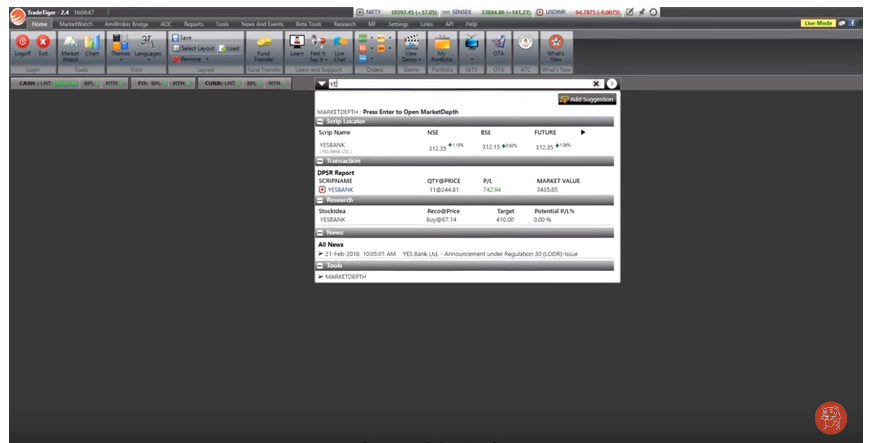
Source: Sharekhan Sharekhan's TradeTiger offers a range of features to suit the trading needs of all types of traders- from beginners to experienced. Some of the major features of the platform are-
|
Ventura Pointer offers a range of features catering to the need of a seasonal investor to a new trader. Other than the standard trading features, some of the key features of the trading platform are:
|
| Advantages |
|
|
| Disadvantages |
|
|
| Account Opening Enquiry |
| Sharekhan TradeTiger | Ventura Pointer | |
|---|---|---|
| Installable Trading Terminal |  | |
| Trading Website | | |
| Mobile Trading App | | |
| API Access | |  |
| Offered by Multiple Brokers | | |
| Equity Trading | | |
| Currency F&O Trading | | |
| Commodity Trading | | |
| Online IPO Application | | |
| Online Mutual Funds | | |
| Integrated Backoffice | | |
| Open an Account |
| Sharekhan TradeTiger | Ventura Pointer | |
|---|---|---|
| Chart Types Supported | ||
| Chart Indicator | 30 | |
| Place Orders from Chart | | |
| Online Account Opening |



