Published on Thursday, August 30, 2018 by Admin | Modified on Monday, July 3, 2023

Zerodha (Flat Rs 20 Per Trade)
Invest brokerage-free Equity Delivery and Direct Mutual Funds (truly no brokerage). Pay flat Rs 20 per trade for Intra-day and F&O. Open Instant Account and start trading today.
Introduced in 2018 by SEBI, ASBA has become a popular way to apply for IPOs among retail investors. ASBA offers many benefits to an investor like
This article aims to explain the process to apply for IPO online using HDFC netbanking.
HDFC is one of the members of the SCSBs (Self Certified Syndicate Banks). SCSBs are allowed by the SEBI to accept online IPO applications from investors.
The process to apply online for an IPO through Axis internet banking involves following steps-
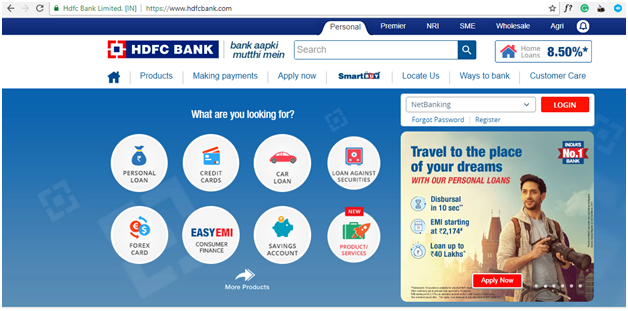
Visit www.hdfcbank.com and click on login button on the right side. In the next screen, login using your HDFC account user ID and password.
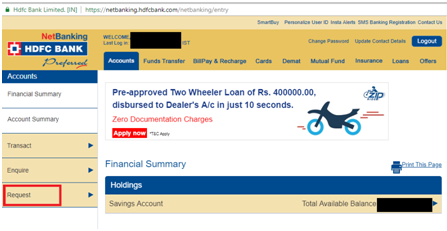
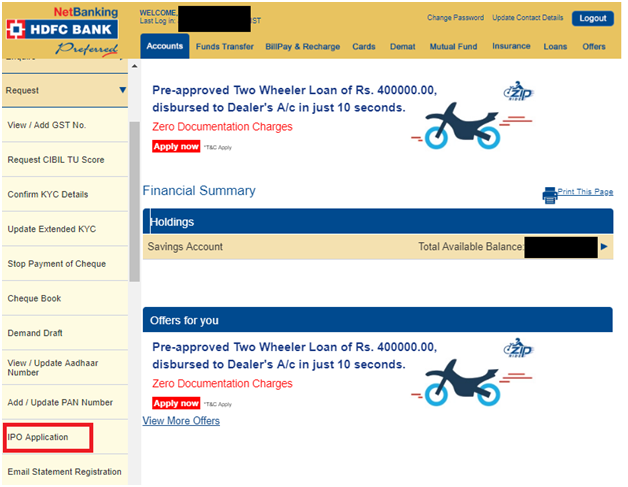
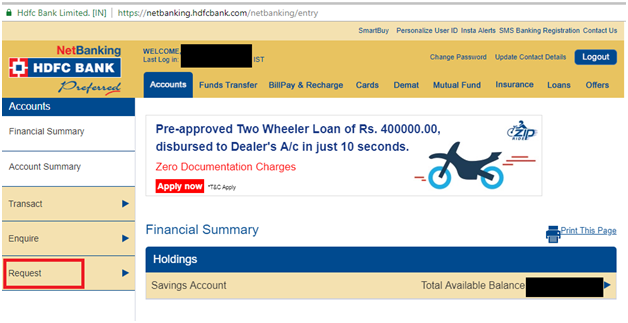
On your account page, go to left side menu and click on 'Request' and then on 'IPO application.' Click on 'Continue' next and you will be directed to the IPO page in HDFC securities.
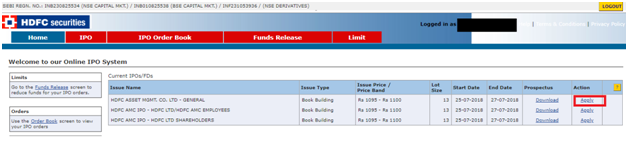
In the next screen, you will be presented with a list of all IPOs open for bidding at that time. Select the IPO you wish to apply for and click on 'Apply'.
In this page, you need to provide your details for the IPO.
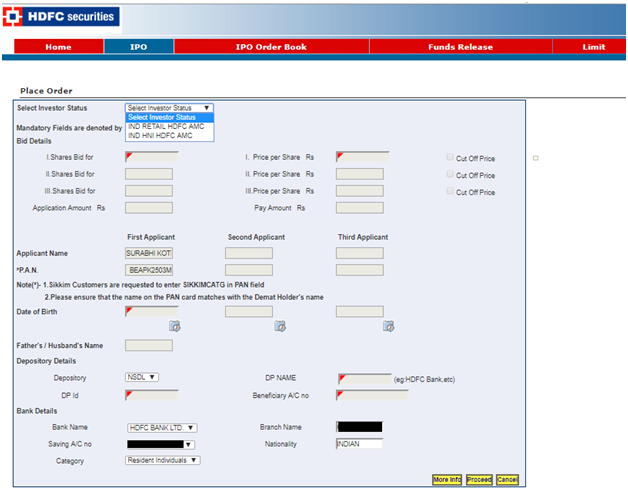
First, you need to select your investor status- retail or HNI. If you are investing more than 2 lakhs then you need to select HNI, else select retail.
Second, you need to enter bid details. You can enter upto 3 bids. Enter the number of shares you want to bid for and price per share in case of a book building issue. Tick on the cut-off price, if you wish to. Selecting the cut-off price means that you agree to buy the shares at the price decided by the company during allotment.
Third, if you are using a single account then applicant details like name, PAN etc., will be automatically populated. However, you need to depository details like your depository- NSDL or CSDL, DP name and ID.
Once you have filled all the details, click on 'Proceed'. A popup will appear requesting to enter the bank details. In case the pop-up doesn't appear, please check if your browser has blocked the popup.
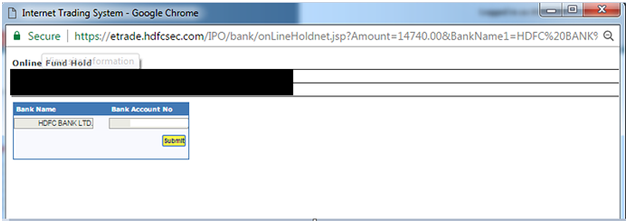
Place and confirm your Order by click 'Accept' after reading the 'Terms & Conditions'. Wait for the message 'Your bid has been successfully placed!'. Click 'close' and done.
To apply for an IPO through HDFC bank net banking, you should:/p>
Any individual, Minor, HUF, or Corporate account can use the HDFC Net Banking facility to apply for IPO online.
Yes, HDFC is a member of SSCBs (Self Certified Syndicate Banks). SSCBs are allowed by SEBI to accept online IPO applications from investors. If you hold a savings or current account (single or joint) with HDFC Bank and have a demat account then you can apply for an IPO using Axis netbanking.
You can edit your IPO details under the ASBA facility. However, you can only edit it during the IPO bidding window and not after the closure of bidding process. To edit ASBA details of an existing IPO in HDFC bank, take the following steps-

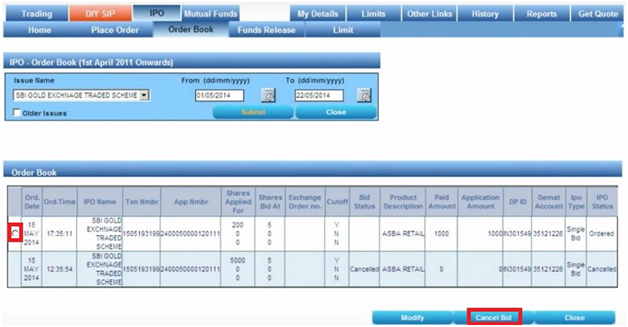
You can cancel your bids or withdraw your IPO application under the ASBA facility. However, you can only do it during the IPO bidding window and not after the closure of bidding process. To withdraw IPO application in HDFC bank, take the following steps:
No, HDFC mobile banking app doesn't provide facility to apply in IPO online.
When you apply for an IPO using HDFC bank ASBA process, the application amount is marked as lien or blocked. This amount is released on the next working day of finalization of allotment.
For any IPO, you can make one application with three bids on the application.
The HDFC Bank Online IPO Application is available for Minor account holders who have access to HDFC Bank NetBanking. The process of applying for an IPO in a Minor account is the same as for an adult account.
Make sure to check the PAN number on the IPO application before submitting the online application form.
The HDFC net banking facility allows Corporate, HUF, Trust, and Minor account holders to apply for IPOs online. This new feature was added on 7th May 2022.
HDFC Banks' net banking facility allows one IPO application per bank account to Resident Individuals, Corporate, HUF, Trust, or Minor account holders.